- RequireJS - Home
- RequireJS - Overview
- RequireJS - Environment Setup
- RequireJS - Configuration
- RequireJS - AMD Modules
- RequireJS - Defining Function
- RequireJS - Optimizer
- RequireJS - jQuery
- RequireJS - NodeJS
- RequireJS - Dojo
- RequireJS - CommonJS
- RequireJS - Plugins
RequireJS - Module Loading
Modules are loaded using the define() function in js file. The syntax for loading the module in html file is as shown below −
<script data-main = "main" src = "require.js"></script>
In the script tag given above, main is used to set up packages that are relative to require.js, which in this example are the source packages team1 and team2 −
Example
The following example describe how to define and load the module in RequireJS. Create an html file with the name index.html, and place the following code in it.
<!DOCTYPE html>
<html>
   <head>
      <script data-main = "main" src = "require.js"></script>
   </head>

   <body>
      <h2>RequireJS Example</h2>
   </body>
</html>
Create a js file with the name main.js, and place the following code in it.
define(function (require) {
   var team1 = require("./team1");
   var team2 = require("./team2");

   alert("Welcome to Tutorialpoint");
   document.write("<h4>Hyderabad Team: </h4>" + "<br>" + " Team:"+team1.team +"<br>
      "+"Captain:" +team1.captain +"<br>");

   document.write("<h4>Bangalore Team: </h4>" + "<br>" + " Team:"+team2.team +"<br>
      "+"Captain:"+team2.captain +"<br>");
});
Create two more js files with the names team1.js and team2.js, and place the following codes respectively.
For team1 −
define({
   team: "Sunrisers Hyderabad",
   captain : " David Warner"
});
For team2 −
define({
   team: "RCB",
   captain : "Virat Kohli"
});
Output
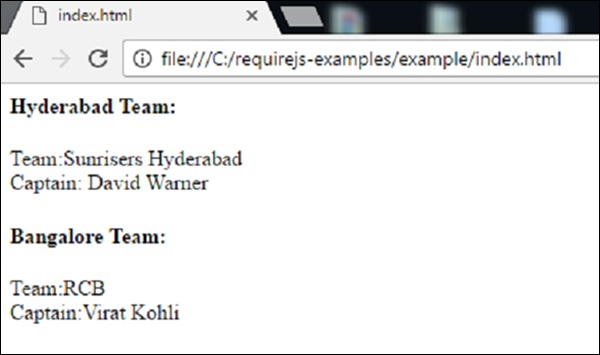
Open the HTML file in a browser; you will receive an output as in the following screenshot −
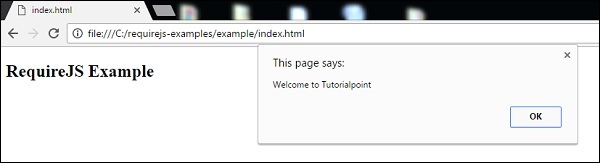
Next, click on the "OK" button, you will get another output from modules as in the following screenshot −